Stay Independent With Support at Home–Funded Personal Alarms
24/7 nurse-monitored personal alarms, fully or partially funded through Support at Home.
INS LifeGuard supports older Australians with nurse-monitored personal alarms, helping you live independently and safely. Choose from in-home or mobile alarms, with funding support available through Support at Home.
My Aged Care is the Australian Government’s central entry point to aged care services. It helps older Australians stay safe, independent, and supported with services like:
Help around the home
Personal care
Allied health services
Equipment and assistive technology (e.g. personal alarms)
Register with My Aged Care and complete your assessment
Talk to your provider
about adding: (1) The device under the AT-HM scheme; (2) The monitoring under your Care Budget
Choose a suitable alarm
— smart watch, in-home system, GPS wearable, or accessible option
Optional:
Start with private payment and transition to government funding when approved
What If I'm Still on a Home Care Package (HCP)?
If you’re still receiving care under an HCP, you can:
Use unspent funds to purchase a personal alarm and/or cover monitoring
Ask your provider to include INS LifeGuard in your care plan
Continue using your package until transitioned to Support at Home
We work with aged care coordinators nationwide and support both legacy and SAH plans.
What About Monitoring Costs?
AT-HM covers the device and setup only. Monitoring is funded separately and may be included in your Care Budget if:
It’s listed in your support plan
Approved by your aged care provider
Related to fall prevention, wandering, health deterioration, or other risks
Examples of Funded Monitoring:
Safety Support: “24/7 emergency response for a client at risk of falls or confusion.”
Clinical Support: “Remote health monitoring for a client with cardiac or chronic conditions.”
What Is My Aged Care?
My Aged Care is the Australian Government’s central entry point to aged care services. It helps older Australians stay safe, independent, and supported with services like:
Help around the home
Personal care
Allied health services
Equipment and assistive technology (e.g. personal alarms)
Work with a provider to set up your support plan and funding model
What Funding Is Available for Personal Alarms?
Depending on your care model, funding may come from:
Support at Home (SAH)
The new aged care program that replaced the Home Care Package (HCP) and Short-Term Restorative Care programs on 1 November 2025. The Commonwealth Home Support Programme (CHSP) remains a separate, standalone program and is not being folded into Support at Home. Alarms may be funded under:
Assistive Technology & Home Modifications (AT-HM) Scheme: Covers the device cost and setup, plus ongoing monitoring for the first 12 months.
Quarterly Budget: After the first 12 months, ongoing monitoring may continue to be funded through your quarterly budget, if listed under Independence Support or Clinical Care in your support plan.
Hybrid Options
You can also choose to privately fund the device or monitoring while awaiting funding approval, or use a mix of funding types.
Register with My Aged Care and complete your assessment
Talk to your provider about adding your personal alarm, device and monitoring under the AT-HM scheme
Choose a suitable alarm — smart watch, in-home system, GPS wearable, or accessible option
Optional:
Start with private payment and transition to government funding when approved
What If I'm Still on a Home Care Package (HCP)?
If you’re still receiving care under an HCP, you can:
Use unspent funds to purchase a personal alarm and/or cover monitoring
Ask your provider to include INS LifeGuard in your care plan
All HCP clients automatically transitioned to the new Support at Home program on 1 November 2025, carrying their existing funding across. If you were receiving or approved for your HCP on or before 12 September 2024, you're considered 'grandfathered', meaning your existing contribution rules and lifetime cap are protected under a 'no worse off' guarantee, even after the move. If you came onto your HCP after that date, you'll gradually transition onto the new Support at Home contribution rules over time.
We work with aged care coordinators nationwide and support both legacy and SAH plans.
What About Monitoring Costs?
AT-HM covers the device, setup, and ongoing monitoring for the first 12 months. After this period, monitoring may continue to be funded through your quarterly budget if:
It’s listed in your support plan
Approved by your aged care provider
Related to fall prevention, wandering, health deterioration, or other risks
Examples of Funded Monitoring:
Independence Support:“24/7 emergency response for a client at risk of falls or confusion.”
Clinical Care: “Remote health monitoring for a client with cardiac or chronic conditions.”
Why Choose INS LifeGuard?
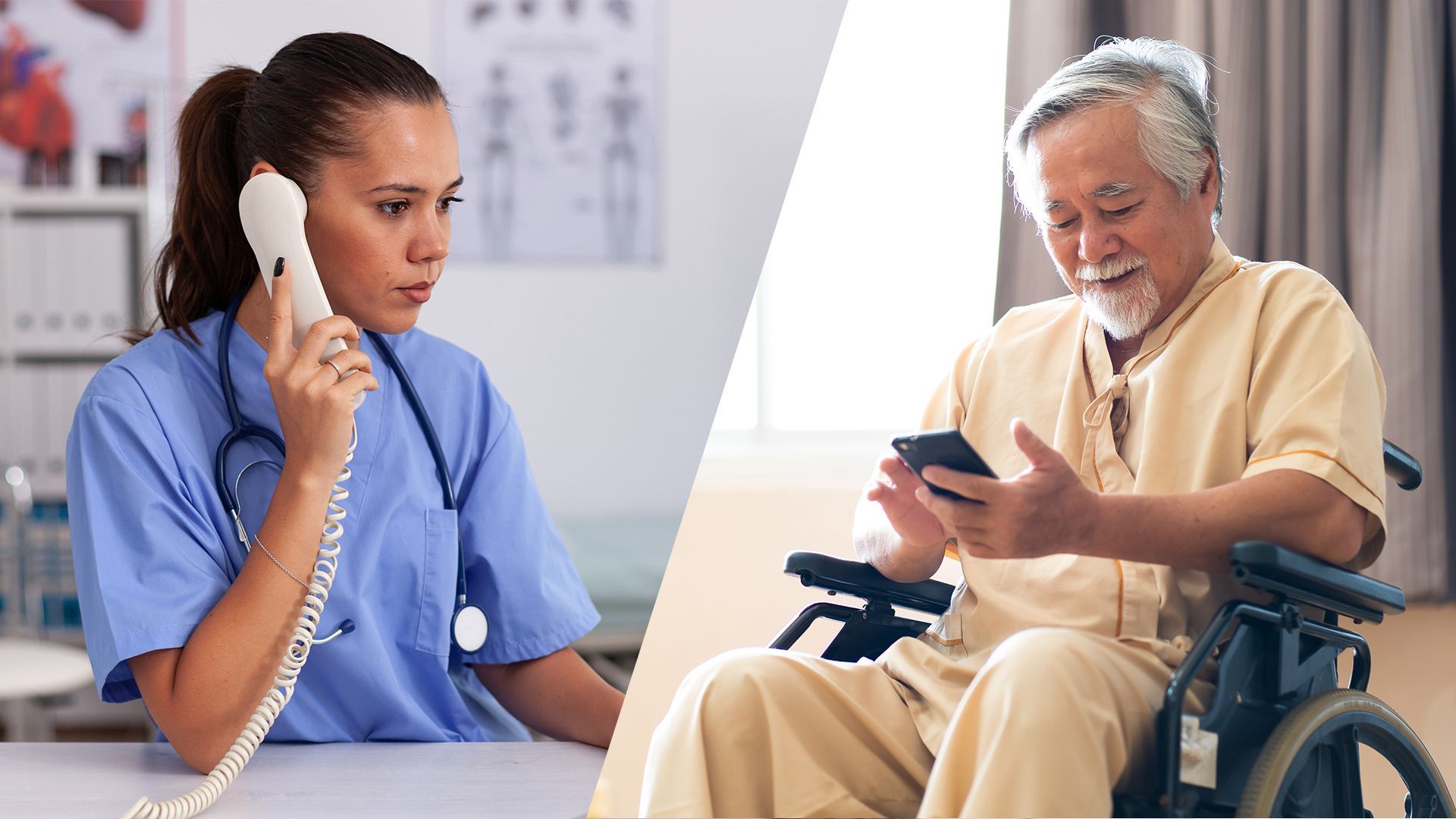
INS LifeGuard is the only nurse-monitored personal alarm provider available through Government-funded My Aged Care. Our 24/7 Clinical Operations Centre is staffed by experienced nurses, not call centre operators. This clinical difference has saved lives
Compare Our Support At Home Personal Alarm Options
INS LifeGuardian® Watch
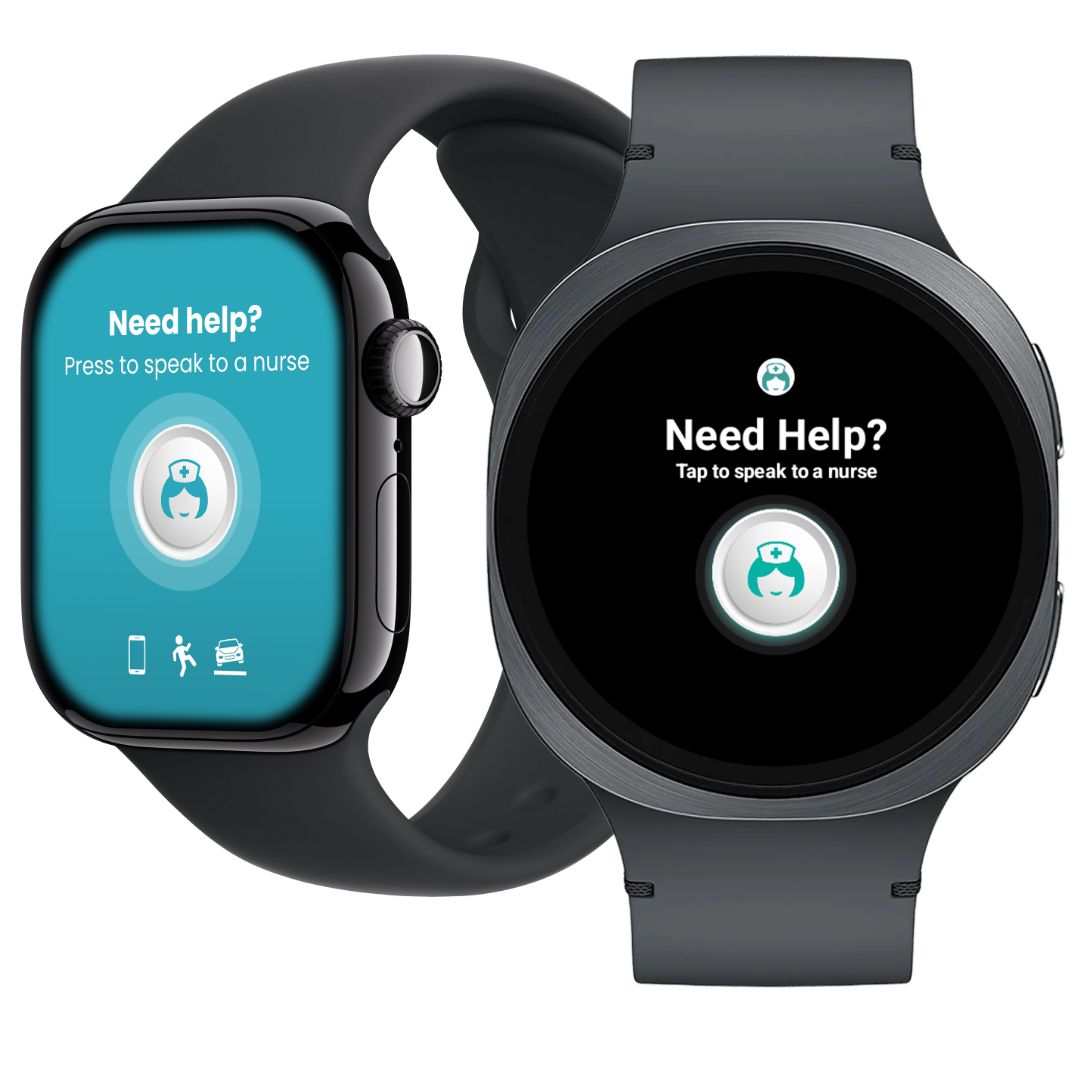
A discreet, modern personal alarm watch eligible under the Support At Home or AT-HM Scheme. Connects directly to nurse responders, perfect for stigma-free home and community use.
Only nurse-monitored My Aged Care-approved Samsung or Apple smart watch
Health monitoring + GPS + two-way speaker
Fund privately or claim the smart watch and initial monitoring through AT-HM, with ongoing monitoring available through your quarterly budget
Turn your Apple or Android phone into a personal alarm with the INS LifeGuardian® App. Pressing HELP connects you to our 24/7 nurse-led Emergency Response Centre.
In-home base with a waterproof pendant that can be swapped for a fall detector, for instant help day or night.
At Home
On Your Smartphone
Clinical assessment, not just call handling
Our team can assess symptoms, understand risk and respond appropriately.
Real Users, Real Peace of Mind
Find Out How INS LifeGuard Makes a Difference
It’s like having a family member in the house
Nurse: Welcome to INS LifeGuard. This is Kirsty. How may I help you?
Client: I just wanted to thank your wonderful organisation. I had to get an ambulance. I wasn't going too well. And I just want to show my appreciation to you. I was lying down at the time. I think you rang me a couple of times. I just want to let you know, I was very grateful for your help and I appreciate what you did for me and I thought you've always been very, very good to me or kind to me. And I just wanted to let you know, I appreciated that.
Nurse: Thank you so much for your call. That's so lovely to hear. I'll definitely let the nurses know that you called us. How are you feeling now?
Client: I am feeling better. The doctors have been helping me, and I wasn't in the best shape. I didn't realise till I saw the ambulance chaps that I was running a pretty high temperature and, oh, things weren't kind of going so well. So I was very grateful for your help. Thanks very much for that. I just wanted to pass that on to you and let you know that we do appreciate the wonderful work you do.
Nurse: Thank you so much for that. I love hearing when people ring back and let us know.
Client: Oh, thank you for that. And they've always been very, you know, helpful to me over the years. I've made sure that as soon as I'm kind of feeling a little bit better, I'd give you a ring. And I've been very grateful for the treatment.
Nurse: I'm glad that you're in the right place now.
Client: And I was very grateful for you. It makes me feel better too because I thought, Oh, God, it's like having a family member I’ve got in the house. If you're not going well, you realise there's someone you can talk to, and there's someone around the corner, and it’s, you know, you're by yourself; it could be a worry, you know, if you really did get very, very ill. But I thought it reassured me a bit.
Nurse: That's lovely. Thank you so much for your call. We really appreciate your call. Client: Thanks, and thank you. I appreciate having you, and my sister does too. She said she's been so grateful for your organisation. I said, yeah, it does lift you up a lot. Nurse: Yeah.
Client: And I thought, when you live by yourself, it's a bit of a different world in some ways. And I thought it's lovely to know there is someone around the corner. We all appreciate that.
Nurse: Oh, thank you so much for the call.
Client: And I’m very grateful; I felt well, I am. Thanks to you and the ambulance service, I ended up in the right place. So that’s something good.
Nurse: Hope you get better soon, and thank you.
Client: Thank you.
Nurse: Anyway, it was lovely to hear from you. Thank you so much for your call.
Client: Thank you. Thanks very much.
Denise says LifeGuard saved her life PC
Client: Hello, Denise here.
Nurse: Hi, Denise. This is Hayden from INS LifeGuard, your medical alarm company. How are you doing?
Client: Oh, I’m doing well, thank you.
Nurse: Oh, that’s good.
Client: I tell you what, I’m telling all the war widows to apply for the LifeGuard. It is very much better than any other similar device.
Nurse: Yeah. Yeah, I think so as well. And, you know, obviously I don’t have to pitch it to you, but, you know, being able to come into a call centre of nurses as well, you know, it’s definitely got to be a plus.
Client: Well, the LifeGuard, six months ago saved my life. I felt very unwell. And I was going to work on Wednesday, and I went out the door and I went, “Oh, I don’t feel well. Oh, Denise, get over it. Put your briefcase in the car, unlock the gates, and go to work, you silly bugger.” So I did. I put the briefcase in the car and I walked down to the gates. Lucky I took an old walker that was in the garage for stability. When I got there, I put my hand on the gate, and as soon as I did that, everything went brown.
Nurse: Brown?
Client: Yes. I couldn’t see anything except brown all around me. And I went, “Oh my goodness, I really don’t feel well.” And I sat down, and after a little while I went, “Yeah, no, I think I’m going to go back, say I’m not coming in today.”
Nurse: Mm-hmm.
Client: So I got halfway back to the back door, pressed my alarm, my LifeGuard, got to the garage. I had enough consciousness to press number one on my phone, which was a friend of mine down the road. She sent her husband up. He came running up. She rang the ambulance, who had already been advised by LifeGuard. Thinking that I’d had a fall. And she went, “No, no, no. Something’s bloody wrong. Something’s really wrong.”
Nurse: Yeah.
Client: I have had a massive heart attack.
Nurse: Oh, wow.
Client: They got me to the hospital, which was 110 kilometres away.
Nurse: Yeah.
Client: I had another, sort of a small heart attack on the way down. So they stopped. When I got there, they put me straight into ICU. That night I had another massive heart attack. The following day, really early, they did an angiogram at six o’clock in the morning. And it showed that two of my arteries were 98% blocked. And all the others were 60% blocked.
Nurse: Yeah.
Client: That afternoon I had another massive heart attack, and that night I had a fourth heart attack. And they kept me sort of out until the following Monday. That was Thursday, Friday, Saturday, Sunday. So five, four days they kept me out. Six, seven o’clock on Monday morning, I was in the surgery, having open-heart surgery.
Nurse: Mm-hmm. And that was about six months, did you say? Six months ago? Client: Six months ago.
Nurse: Yeah. I’m at a genuine loss for words, Denise. But I’m glad that this is – Client: The LifeGuard… if I’d had the little round one for the wrist, which only works in your yard, I shouldn’t say this, but I honestly do not believe I’d be here today.
Nurse: Right. Client: Because the service I got from INS LifeGuard was absolutely flawless. And I am now telling all the war widows, don’t worry about anything else, just go for the INS LifeGuard 4G or 5G GPS one.
Nurse: Yeah, definitely.
Client: But I’m not just telling my war widow friends to get them. I’m telling everybody over 60.
Nurse: Yeah, no, I think that’s a great idea. I think, you know, just for the peace of mind of having something like that. And, yeah, you know, when it works, you know, you’re very glad to have had it.
Client: Oh, my son reckons it’s the best thing since sliced cheese. Yeah. Saved their mother’s life.
Nurse: Well, thanks so much, Denise. I really appreciate having a chat with you, honestly. All right, well, I’ll leave it with you, Denise. Take care and have a great day.
Client: I am. I’m alive. Thank you.
Nurse: That’s it. That’s what I want to hear.
Client: All right. Bye for now.
Nurse: Bye, Denise.
Ben helps RC with her watch PC
Nurse: Hello, this is Ben. How are you?
Client: Oh, better for hearing your voice, Ben. *laughs* Ben, I’ve received a watch and I’ve sent the paperwork back.
Nurse: The watch face itself is an alarm, so if it detects a push, it triggers the alarm.
Client: I’m feeling very secure with it, and I could put that down to possibly the falls alarms where I actually got to speak to the nurses. And they are very caring and they’re wonderful people. They’re wonderful nurses there. Absolutely fantastic. Okay, thank you so much, Ben. You’ve been very kind and very patient.
Nurse: No worries. I’m glad I could help.
You've saved Margaret's life
Client: Thanks, Ben. And thank you for your help all the way through.
Nurse: No worries… No worries.
Client: You've saved Margaret's life, I mean that. She found out she had AF.
Nurse: Yep.
Client: She's been in hospital about three or four times. And they’re talking about trying to shock her back into life again and God knows what. But if we hadn't had that watch, I don't know, she most probably had a stroke or goodness knows what.
Nurse: Yeah. I'm very glad that you both picked it up and decided to join the trial so that we could get to this point and yeah… It's been godsend.
Client: Yeah, it has. It has. The doctors and everything else said it saved her life. And it's not just, you know, very simple. And it's been very, very good, and I appreciate the help you guys have given us.
Client happy with INS service
Nurse: I'm just calling to make a follow-up to check if your wife is still in hospital after we called an ambulance for her.
Client: No, she's out now. Yep. She's going real good now.
Nurse: Oh, that's good. I'm happy to hear that.
Client: Good. Thanks very much. And everyone done a great job too.
Nurse: Oh, that's good. I'm happy you were happy with the service. That's good.
Client: Yes, yes, really happy.
Nurse: Thank you so much.
I Really Am Impressed With Your Service
Client: Hello?
Nurse: Hello, it's Ben from INS LifeGuard. How are you?
Client: You got my email?
Nurse: I did. I have some news for you, essentially. We spoke before Christmas in regards to replacing your alarm system.
Client: Yes.
Nurse: I've organised for that. That's going out today, so you'll get an entire new watch with a new number.
Client: That is fantastic. So you're going to send me a new one, right?
Nurse: Yes.
Client: Oh, I really am impressed with your service in all directions. I really, really, really appreciate your service. I think it's just fantastic and I love my watch. Okay. Thank you so much. I really appreciate it.
Nurse: No worries. I'm glad I could help.
Client: Bye.
Nurse: Bye bye.
I recommend you to my elderly friends
Client: Thank you very much for your years of service. I've been with you for a long while.
Nurse: Oh, you are welcome. No worries at all.
Client: Thank you. They've been on the ball and very quick to me; it's been marvelous.
Nurse: Oh, fabulous.
Client: I recommended it to my elderly friends.
Nurse: Oh, have you? Oh, lovely. Well, I'll make sure all the nurses know.
I think you are amazing
Nurse: Hi Trish, it's Nicole from INS LifeGuard. Is everything okay there?
Client: Yes, it is fine. Thanks Nicole. It's just a test because my um, it stopped working so they had to redo it all, so she said just to check to make sure it's working right.
Nurse: Oh, okay. Not a worry. All working. You have a lovely day.
Client: Yeah, and can I say something?
Nurse: Yeah, of course.
Client: I think you're amazing, and I don’t know where we'll be without you, so take care.
Nurse: That's so lovely. I will definitely pass that on.
Client: Thank you.
Nurse: Alright, you take care.
Client: And you too. Bye bye.
Nurse: Bye.
INS Assistance Was Absolutely Life Saving
Nurse: Hello, Mrs. *****. It's John from INS LifeGuard. Do you need assistance?
Client: This is *******’s daughter. I'm just ringing to let you know that she was taken to hospital yesterday after having a fall, and INS contacted the ambulance. And thank you for your assistance. It was absolutely life-saving, really.
Nurse: No problem at all. That was actually.. Lisa's the one that called the ambulance. I'll let her know that you appreciate her assistance.
Client: Thank you very much.
Nurse: Thank you. Okay. Bye.
John Felt Comforted and Thanked Tim
Nurse: Morning, John, it's Allison from INS LifeGuard. You’re all okay there this morning?
Client: Hello, Allison. Yeah. look, I'm okay today. I had a call yesterday morning and I can't remember the name of the young fellow I called yesterday.
Nurse: Yeah.
Client: But I just wanted to ring in and say thank you to him because he rang me several times during my problem to see that I was okay. And I really appreciated that.
Nurse: You were dealing with Tim, so I’ll definitely pass it on. He was on night shift again, so he’s already left.
Client: Would you do that for me, please?
Nurse: I certainly will.
Client: It was very comforting to have him call me regularly until the ambulance was here. And he even then called me to see how I was going.
Nurse: No, beautiful, John, I'm glad that you're feeling better and you're back home again.
Client: Thank you very much.
Nurse: Lovely. Thanks for the call back, John. I'll definitely let Tim know. Okay.
Client: It's my pleasure. Thank you. Thank you. You did a wonderful job. Thank you. Okay, bye.
Nurse: Bye.
Mrs P loves us and would pay double
Nurse: Hi there, Ms. *****, here again from INS. How are you going?
Client: Um, I'm just ringing. I'm sorry. Don't worry, but I wanna give a special thank you to the lady who helped me this morning.
Nurse: No, you are more than welcome; that was me.
Client: The nurse was just coming in cause I called her. I said to her, I said, I don’t know — this is the truth — I don’t know what we pay per month to the INS LifeGuard, but I'm happy to pay double.
Nurse: Oh, love. You're so sweet.
Client: Yeah, darling, I wanna say thank you.
Nurse: You are so very welcome.
Client: See how darling I won't keep me better. Thank you. I love you.
Nurse: Oh, we love you too. Love. So if you need anything, don't you hesitate to press that button.
Client: All right, darling. Okay. Thank you.
Nurse: Not a worry. Take care of yourself.
Client: Bye darling.
Nurse: Bye.
Thank You for Caring
Nurse: Just following up with you to see how you are since we sent you to hospital a little over a week ago. How are you doing?
Client: I'm okay. I'm much better than last week.
Nurse: Glad to hear you're doing well.
Client: Thank you.
Nurse: If you need us, you can call or you can use your alarm bells. Okay? We’re here for you.
Client: Okay, honey. Okay.
Nurse: You have a lovely day.
Client: Thank you so much for calling me and for caring [for] me.
Nurse: Of course, we're here for you. Absolutely.
Client: You are beautiful.
Nurse: Oh, thank you.
Client: Thank you so much.
Nurse: Have a lovely night, okay? And be safe. Take care.
Client: Okay, honey. Thank you.
Thank You John
Client: Hello?
Nurse: Oh, good afternoon. This is Christie calling from INS LifeGuard. I've actually called to follow up to see how you're going. We called an ambulance for you on the 11th.
Client: Now I'm getting better, but I had pneumonia.
Nurse: Oh, you did? Oh, that's no good. Are you on the mend?
Client: Yeah, I'm on the mend. Anyway, look, I appreciate you being up checking on me.
Nurse: Yeah, no problem at all.
Client: And John, the fellow that rang up when the ambulance was coming, was excellent.
Nurse: Oh wonderful. Great. No problem. I'll pass that along. Thank you.
Client: Okay.
Nurse: Okay, bye.
Thank You Lisa
Client: Yeah. Hi. Look, I'm just wondering, is this the customer services for the INS LifeGuard?
Nurse: Yes.
Client: I just wanted to say thank you very much. My dad's name is [name omitted], and I wanted to thank Lisa so very much because basically, Dad has refused to use it for the last year or so. And then when I went over to Australia about a month ago, I came back and I said to Lisa, she rang, she had a chat, then she explained the whole system, she explained what to do and told him to put his watch on. And he's done all that, and it worked out [inaudible].
Nurse: Oh, okay, beautiful. I was on last night. I called the ambulance for him, and it took hours for them to get there, unfortunately. His neighbour attended, so she sat with him for a few hours.
Client: I think it was really wonderful. He wouldn't have listened anyway, but Lisa explained it to him so well and it actually worked. I just wanted to thank you and thank you very much.
Nurse: No worries. I'll at Lisa know. I'll send her a message just letting her know.
Client: Thank You. Thank you so much!
Nurse: Okay. Bye.
Client: See you mate. Bye bye.
Thanks for the care
Nurse: Good morning. This is Linda from INS LifeGuard. Is everything all right?
Client: Hello. Yes, everything is fine. Thank you so much. I just wanted to thank you for the care that you took on the first of this month. Monday morning early, I called you and you were a great help, and you called for help on my behalf straight to hospital.
Nurse: Oh, okay. Is he out of hospital yet?
Client: He is, yes. He came out the same day. But it was the first time he'd ever had it, and we both got a shock.
Nurse: Oh, goodness. All right. And how is he feeling now? Is he okay?
Client: He is. Look, he bounced back. He was home the same day, and I think I'm still in shock.
Nurse: Yeah. It can be, yeah. Well, look, you just make sure that one of you has got the pendant on. If you need us for anything, you give it a press.
Client: Well, thank you so much.
Nurse: You're very welcome. All right, you take care.
There is always somebody at the end of that button
Nurse: Oh, hello, it's Kim here from INS LifeGuard. I'm just ringing 'cause we sent you off to hospital. So I was ringing to see if you were home.
Client: I am home from the hospital, darling. I really appreciate all the help that INS LifeGuard did for me. It was life or death on that day. Thank you. I owe you my life. Thank you very, very, very much.
Nurse: You are welcome, darl. So just so you know, we are always here. If you ever feel you need to talk to somebody, okay?
Client: Really?
Nurse: We are always here. There is always somebody here 24 hours a day, seven days a week. There is always somebody here at the end of that button.
Client: That's so nice to hear. Thank you. Appreciate that. Thank you very, very, very much.
Nurse: Thanks love. Bye.
Client: Bye.
Well Done Val
Client: I just wanted to say I don't need any help, but on Saturday night, I needed help. And the lady was so amazing. They called an ambulance. I got to the hospital on time, and I just wanted to thank the lady who was on duty on Saturday night.
Nurse: Oh, that’s so sweet. I’ll pass on that. She’s on at the moment, but I’ll definitely pass that on to her.
Client: Yeah, because you phoned my daughter, you phoned the ambulance. Everything went to plan, and I'm fine. Thank you so much.
Nurse: And you're back home, obviously.
Client: I'm back home again, and everything's good. I never had a stroke, but the hospital was good. Everybody was good to me. Thank you so much.
Nurse: That’s okay. Take care.
Client: Thank you. Bye.
Woman praises INS nurse and alarm system
Nurse: It’s Angela calling back from the alarm company to see how you're feeling since you went to hospital last month.
Client: Oh, yes.
Nurse: Are you recovering well?
Client: Yeah, not too bad. I was meaning to thank you. That lady that was on that night, she was very, very good. I waited so long for that ambulance. It was a terrible night. I know. The alarm system was marvellous. She kept speaking to me, and she kept the line open. I don't know who she was, but she was very good.
Nurse: Yeah. Oh gosh.
Client: Anyway, the lady on the phone that night was absolutely terrific. Yes. Well, anyway, I can't give enough praise for that alarm system, and it was very good. Not that I've had to call them very often, which I’m so pleased about, but anyway, all worked out good in the end.
Nurse: Oh, I’m glad.
Client: It’s very good. Thank you for worrying about me, anyways.
Client: All right, then. Well, you take it easy, okay. Alright. Take care. Bye for now.
You Are All Special
Nurse: Hi there, it’s Ceara from INS LifeGuard. Do you require any assistance?
Client: All I need, love — sorry to worry you — I want to send a Christmas card to you all, because I've had so many good people and I don’t know what address, love. Can you help with that?
Nurse: Of course, of course. Do you have a pen and paper there?
Client: I’ve got it standing here, love. Yep.
Nurse: So that's PO Box 485, Unanderra.
Client: Right darling, what's the postcode?
Nurse: 2526.
Client: 2526. INS Management, Post Office Box 485 Unanderra 2526.
Nurse: Yes, that's correct.
Client: Okay. Now I just want to say thank you then. I thought I'll just pop a card in the post for you all.
Nurse: Oh, no, I know, and I've spoken to you before. You're absolutely a pleasure. We're more than happy to receive that from you.
Client: Yeah, but you're all special too.
Nurse: You're so very sweet. Thank you so much.
Client: Bye, darling. Have a good day.
Nurse: You too. All the best, and a Merry Christmas and a Happy New Year.
Client: And everything the same to you, too, darling.
Nurse: Thanks. Have a good day. Bye bye.
Client: Bye, darling.
You guys are the Diamonds in the Business
Nurse: Good morning, Linda from Accounts. How may I help you?
Client: Hi, good morning, Linda. We've been customers for several years with your console because of my mom. You guys have been absolutely wonderful.
Nurse: Oh, thank you.
Client: What an amazing service. I literally speak about you guys to everybody I go. You do not want anybody else but these guys; these are the absolute diamonds in the business. I swear to you.
Nurse: Oh, thank you.
Client: Been dealing with mum and aged care and so many other people. Like I can honestly, wholeheartedly, as a client, testify to amazing services and stuff, and you guys have saved our *** so many times, so many times. And my mom really needed it.
Nurse: Oh, that's lovely. That's really nice. Thank you. That means a lot. And thank you for allowing INS LifeGuard to provide our service, and I wish you all the best moving forward.
Nurse: Thank you, Linda.
Client: No worries at all.
Ben and Client
Client: Hello?
Nurse: Hello, it's Ben from INS LifeGuard. How are you?
Client: I'm well, thank you.
Nurse: I'm just calling up about your medical alarm system.
Client: I was grateful that I had the thing around my neck when I collapsed. I was just lucky that I had it. If I'd had to walk to it or ring someone, I wouldn't have made it.
Nurse: Yep, that's the benefit of the alarm–
Client: So that shows you how these alarms work, doesn't it?
Nurse: Yep, it does.
Client: You can use that to tell your folks that it saved my life.
Nurse: Yeah, I'll definitely pass that on.
Client: I couldn't have made a phone call. I couldn't have called out for help. I couldn't have done anything. I live all on my own.
Nurse: Just so that you're aware as well, in case you ever need it, with our service it's not just the alarm system that you are paying for. You can actually give us a call if you have health questions, and we have nurses here.
Client: Oh, really?
Nurse: But you can also just give us a call if you want to have a chat at any time. There’s always someone here, even if it’s 2 o’clock in the morning.
Client: Goodness me!
Nurse: You can always just give us a call and have a chat with someone if you would like to.
Client: That’s very kind. As I say, nobody checks on me, so if I hadn't had the thing around my neck, I would've been.. How many days would I have laid there? I have no idea.
Nurse: Yeah, It's a great system to have for when you need it.
Client: Since I have no family in this country, nobody looks in on me. I need it. I need it. And I, and I've proved now I need it. Yep. So the hard way, unfortunately. Yeah.
Nurse: At least you had it.
Client: Oh yeah. And it was around my neck. I've spoken to other people who have it and they say, oh, don't have that bloody thing hanging around your neck. I just leave it on the hook by the bed or whatever. And I don't take it off when I go to bed either. I don't put it on the bedside table, so you can say thank you to your company. It a comfort, I suppose, particularly if you're on your own, like I am, and I'm choose to live on my own.
Nurse: Yeah.
Client: Not that I've been sent to Coventry or something. I like my house and my garden and I'm pleased to be here. So that's the price you have to pay as you have to be more careful and have this backup system.
Nurse: Yep.
Client: So there you go. And I don't take it off even in the shower.
Nurse: Yep. That, that's the benefit of it being waterproof, really.
Client: So there you go. So thank you very much for that.
Nurse: No worries. I'm glad I could help.
Client: Okay. Thank you very much. Bye.
Nurse: Bye.
Talking to Robyn
Nurse: Good morning, Mrs *****. It’s Lisa from INS LifeGuard, do you need assistance?
Client: Good morning, Lisa. Last night I had a rather nasty attack of what I thought was food poisoning. And I spoke to a lady called Robyn, who was terrific and she said, “Look, I'm going to call an ambulance.” And I said, look, we've gone through; it's not a heart attack, and it's not a stroke and you know, whatever. I said, I think I'll be all right. She said, “No, I'll call an ambulance anyway.” I just wanted to thank Robyn and tell her that I do have an appointment with the doctor this afternoon. I think I've got myself covered, but I do appreciate her. She rang me about two in the morning. By that time I think I had dropped off into a sleep.
Nurse: Yeah. Look, I will definitely pass on your thanks to her.
Client: Much, Lisa, because I really appreciated it. I said more than anything, Robyn, I think I just need to talk to somebody because you know, it's pretty awful with you.
Nurse: Of course. Yeah. No, that's no problem at all. That's what we are here for and I will certainly let her know.
Client: Thanks Lisa, and you have a lovely weekend.
Nurse: You too. You take care.
Client: Bye-bye.
Nurse: Bye-bye.
I Am Very Impressed with INS
Client: But I must say to you, every time, you know, which is nearly every time I go to Mum's and I see one of the buttons flashing or whatever. You know, I phone up you guys, and even if I've had to phone you at 11 at night when you guys have phoned me and whatnot, I really got total confidence that you guys, that someone is at the other end whenever you need it, whether it's two in the morning or whatever. So I just want to pass back my feedback that I'm very, very impressed with INS. Nurse: No, I'm glad that we could help and give you that reassurance that we're always here.
Client: Mm. Yes. Well, thank you very much. I really appreciate it.
Nurse: No worries.
Yvonne thanks Bianca for the ambulance call
Nurse: Good morning, it's Lisa from INS. Are you alright there?
Client: I just wanted to thank you very much for looking after me on Friday.
Nurse: Oh, that's okay. You went to the hospital, didn't you?
Client: I just wanted to thank you so much, darling. You were so efficient, and everything went well, and the ambulance came, and my daughter came. And I just thought so often people phone you, but they might not think to phone you back and thank you.
Nurse: Oh, that's absolutely lovely. And I'll let Bianca, the nurse, know who called the ambulance for you. Now, are you wearing your pendant?
Client: Absolutely.
Nurse: Good. And don't you hesitate at all. If you need anything, you press that button, okay?
Client: Thank you so much.
Nurse: You are so welcome. You take care. Please rest up.
Client: Okay, darling.
Nurse: Thank you. Bye bye.
I know who to refer other people to now
Nurse: Hello, it's Ben from INS LifeGuard. How are you?
Client: Okay, thank you, Ben.
Nurse: I'm calling up about your mum's SmartTracker. I've received that back. I will close out her account for you.
Client: Fantastic. Thank you very much indeed. And it was really reassuring for us for her to have that while she was home. So thank you.
Nurse: No worries. I'm glad we could help and provide that bit of comfort for you.
Client: Beautiful. And I know who to refer other people to now, which is great.
Nurse: We're always here and always happy to help.
Client: Great. Thank you very much. Thanks for your call, and I'm so pleased you've received it. Thank you.
Nurse: No worries. Thank you.
Client: Okay, bye.
Nurse: Bye.
More Client Feedback
I wanted to express my heartfelt thanks to Bev and Taliah for their wonderful service and quick action the other night when my wife needed an ambulance. I was truly impressed with the level of care and professionalism they provided.
— Tony K.
My daughter and I want to extend our sincere thanks to Belinda and Tim for their help overnight. The continuous callbacks to check on me were so comforting. They were both wonderful, and I am deeply grateful for their kindness.
— Beryl G.
I want to thank everyone at INS for their assistance when my blood pressure dropped to 70 and I eventually needed several blood transfusions in the hospital. I'm not sure what would have happened if I hadn’t been wearing my pendant. I’m incredibly grateful for the service.
— Mr. B.
I would like to thank and praise Rosie who looked after 2 calls for ambulances on Tuesday evening with me. Rosie definitely went above and beyond with her help, not only for the two residents but for me, who has no medical background!
— Angela, Village Manager
I recently had a friend who was assisted by INS LifeGuard, and I just wanted to express my appreciation for the service they provided. The questions they asked were spot-on, and the kindness they showed was both relevant and reassuring.
— Marilyn
I wanted to thank Kristie for her assistance this morning when I required an ambulance. They arrived promptly, and after experiencing a bout of vertigo, I’m already home and feeling much better. I’m very thankful for the care I received.
— Noeline E
I want to thank John for his quick action in calling 000 when my grandson was in shock after losing his grandfather. I’m truly grateful for his patience and understanding during such a difficult time.
— Mrs. Lynette P
I want to express my heartfelt thanks to Ben W for the help he provided in June when my husband was unwell. I’m happy to share that my husband is now home and recovering well.
— Ms. Laurie M
I am very grateful to Abbey for the help she provided when I had a fall in June. Her support was truly appreciated.
— Elizabeth M
I want to say a BIG THANK YOU to Robyn for saving my life recently when I had a stroke.
— Mrs. Pamela B
I want to express my gratitude to INS for their speedy response and for the help of their nurse, who was most caring and arranged for an ambulance to convey me to the hospital, where I received the appropriate attention.
— Mr. Tom W
I called to thank Rosie and the staff for calling an ambulance for my neighbor, Sally, when she fell. She is currently in the hospital and, unfortunately, broke her arm.
— Maree
I want to thank the INS nurses for their quick action in getting me an ambulance in April. I underwent major surgery and spent three weeks in the hospital.
— Mr. David G
I want to express my deepest gratitude to Nurse Belinda, who was there for me when I urgently needed an ambulance. Having this system in my home feels like having another person living with me—I no longer feel alone.
— Mrs. Morton
I want to express my heartfelt thanks to Robyn for the assistance she provided me the night before last when I needed the ambulance. I was extremely impressed with the nurse, the INS service, and the quick response time of the ambulance.
— Yvonne L.
I called to personally thank Roz for her help when I needed an ambulance. Your support was invaluable, and I’m truly grateful.
— Mrs. Jeannie A.
I want to extend my heartfelt thanks to Tim for assisting me recently with my faulty smoke detector. Your help was much appreciated.
— Mrs. Cook
I want to express my deep gratitude for all the support given to my mother over the last two years. A special thank you to Shay for being there during a very distressing time—it meant the world to me.
— Wonita
A big thank you to Ben W for your assistance the other morning. I truly appreciated how you kept me updated on what was happening during the three hours I was on the floor. Your support made a challenging time much easier.
— Bill H
I wanted to extend my heartfelt thanks to Kristie and Shay for their promptness and care yesterday. Your quick response and attention to detail made all the difference. Thank you so much!
— Mr. S and Mrs. P
I want to thank John for helping me with my alarm last week when I was short of breath. I was transported to the hospital, where it was determined I had blood clots in my lungs. I feel very lucky to be alive, and I’m deeply thankful to all the INS staff who assisted me.
— Mrs. Long
I want to express my deep gratitude to Ceara for calling the ambulance for my wife. Your quick thinking and excellent service made all the difference, and I cannot thank you enough.
— Allan T
I would like to sincerely thank you for your service. It has saved my mother several times after falls at home while she was alone. Knowing that she had help if she needed it gave us great peace of mind.
Hi Kimberley, I just want to say how much I appreciate your professionalism, care, and kindness since our first communication yesterday. You've been an absolute blessing, and I’m so thankful for how attentive and helpful you’ve been. I’m really looking forward to getting this installed for Dad.
— Natalie S.
Huge thank you to Roz. I didn’t think I needed the alarm, but after using it twice now for falls, I’m very grateful.
— Robert M.
Thank you so much, INS, for helping my husband last week when he was suffering from bad neuralgia. Your support meant the world to us, and we are very grateful.
— Mrs. Leonie R.
Thanks to the INS staff for all the wonderful and caring work over the years since I have been in the village.
— Jillian
I just wanted to take a moment to thank INS for all the assistance they've provided me over the years. Your help has been truly appreciated.
— Judith B., Campbelltown
I recently spoke with Ben M and was incredibly impressed by his politeness and knowledge about the equipment. I want to wish everyone at your company happiness and love during Christmas and the New Year. You are all lifesavers!
— Mr. Hanna
I want to express my extreme happiness with INS and how they collaborated with emergency services to ensure a quick and pleasant outcome when I needed an ambulance on Saturday. I’m especially grateful to Ben W. for his care and efficiency—he’s wonderful!
— Mrs. Barbara H.
I want to express my appreciation for the consistent and caring support I received from INS. Beverley and Shay responded promptly to my specific actions on file and even checked in with me to ensure I was okay. Thank you both for your dedication!
— Vanessa R.
I would like to express my appreciation of the service supplied by INS.The questions they asked and the kindness they expressed were very relevant and assuring.
— Marilyn
I want to thank Lisa for her assistance while I was shivering on the floor waiting for the ambulance. She kept me sane while I was waiting.
— Mrs. Connie H.
Sandra and I wanted to express our appreciation for the great service and efforts from George when Sandra was unwell recently. Great job, George!
— Bruce
Thank you for always being there and the friendly service you have always given [Mum]!
— Gwen R
Thank you for the INS LifeGuard for my husband to use when I had to go out for an appointment sometimes, knowing he would be able to use the pendant if needed.
— Carole H
I want to extend my deepest gratitude to Julie for the wonderful job she did when we had to call an ambulance for my husband last month.
— Mrs. Fox
I wanted to thank Karen for the assistance she provided with my father overnight.
— Sam
Thank you, INS, for taking such good care of my dad during his time of distress when he was struggling to breathe and feeling scared. Your help meant the world to us.
— Charles’ Daughter
Awesome, thanks for your great customer service, Ash! You really helped me out with a resident’s device, and I appreciate it.
— Robyn
I want to thank Kristie, Ben W, and Shay at INS for the thoughtful way they handled the alarm when my Mum needed help the other night. Your care and communication meant so much to us.
— A Client's Daughter
I’d like to extend my gratitude to Ceara and Shay for the care they showed my mother last week after her fall. Their assistance meant the world to us.
— Mrs. Kathleen’s daughter
During a recent medical emergency, my husband and I were immensely reassured by the prompt and professional response from INS LifeGuard Service. Robyn, a team member at INS, provided calm and effective support, quickly notifying the ambulance team and offering assistance over the phone. The swift arrival of the Village Manager further strengthened our confidence in the emergency care system. Now that my husband is recovering, we remain deeply appreciative of the compassionate and efficient service. We are so grateful for the reliable and comprehensive support provided by INS.
— Mr. and Mrs. Davis
Your phone and wrist button made me feel safe and secure in my home when through illness I felt vulnerable. The fact that I knew that I only had to press a button to have someone on the other end talk to me and arrange an ambulance allowed me to stay independent for as long as possible.<br>
— Barbara
Firstly, I would like to thank you for the consistent high-quality service you have provided to The Willows Residents during 2023. Your team responds with efficiency and kindness at all times and we value the attention and care given through all the calls we have made to you. THANK YOU!!!
Just wanted to say a huge THANK YOU for all your time and patience on the phone today Nicole. As a virgin INS user, I emailed you. You called me right away and were so patient and took the time to learn a little of what our village required from this system. You then patiently explained the functions of the portal, paying attention to the functions which [our village] would find helpful.
I just wish to say thank you to the INS staff member who assisted us, Alison. She was very calm and caring and made the effort to check in on the situation over the several hours the call was active. She helped alleviate some of my distress, and I hope that you can note this on her file or at least pass on my thanks to her once more.
— Retirement Village
I recently spoke with our resident, and she couldn’t praise you enough for the amazing care, compassion, and professionalism you provided her. I also want to extend my personal thanks for your help and the service you offer. I’m on the phone with your team many times a week, and I can add my compliments to this one.
— Village Staff Member
Thank you so much, INS, for all your assistance! I am Mrs. B’s daughter, and I wanted to express how grateful I am for everything. I believe in giving credit where it’s due, and everyone at INS was so helpful in swapping over and setting up my mother’s new alarm device. Your support has been invaluable.
— Margaret
I wanted to take a moment to express my deep gratitude for the exceptional service my wife and I received. Both of us had contracted Covid, and when my wife needed to be transported to the hospital, everything went off without a hitch—like a Swiss watch. I’m particularly thankful to John, who handled our alarm call with such professionalism. Thank you to everyone involved in providing us with such excellent care.
— Arthur T
On behalf of our independent living village I must pass on our sincere thanks as your team have been really impressive lately with responding to emergencies, especially regarding one of dear residents who required an ambulance yesterday whilst having lunch in our clubroom...response time was fantastic…..well done!
I want to thank two of your staff members who I spoke to recently. They were both so kind and understanding during what was an incredibly difficult time for us. Staff who are so caring, especially during such tough times, are truly a credit to any organisation. Thank you so much.
— Debra N.
I’m the manager of one of our new village sites, and I wanted to share some positive feedback with INS. The residents have been very complimentary of our team, especially the nurses who respond to the emergency alarms. They were lovely, and it’s clear we’re doing a great job. Well done, everyone!
I want to extend my gratitude for your continued excellent service. My daughter shared that the old unit worked perfectly on Monday, helping secure an ambulance for Mum. The person from INS who assisted us was extremely calm and helpful. I thought you might appreciate this positive feedback.
Ready to Get Started?
You or your care coordinator can contact INS LifeGuard directly to arrange your personal alarm.
A comprehensive guide to the INS LifeGuard’s personal alarms and how they fit into the Support at Home program under My Aged Care.
Who is eligible for a government-funded personal alarm through Support At Home?
Eligibility typically includes:
Being 65 or older (or 50+ for Aboriginal and Torres Strait Islander people)
Living at home and needing support to remain independent
Having been assessed through My Aged Care
Your support plan must include assistive technology for a personal alarm to be funded.
Can I get a smart watch personal alarm through Support At Home?
Yes. The INS LifeGuardian® Watch is a fully functional smart watch (Apple or Samsung) that can be funded under the Support at Home program as an approved assistive technology item.
It includes GPS tracking, fall detection, vital signs monitoring, two-way voice communication, and direct connection to our 24/7 nurse-staffed Clinical Operations Centre.
How is the smart watch funded under Support at Home?
There are two parts:
Device and setup – funded through the Assistive Technology and Home Modifications (AT-HM) Scheme, based on your assigned funding tier (Low, Medium, or High)
Ongoing monitoring – covered under AT-HM for the first 12 months. After that, it may continue to be funded through your Support at Home quarterly budget, if it's documented in your support plan and aligned with your Independence Support or Clinical Care needs
Is the smart watch free?
The device and setup may be fully funded, depending on your AT-HM tier, and this also covers monitoring for the first 12 months. After that, ongoing monitoring may continue through your quarterly budget if approved.
INS LifeGuard also offers hybrid payment options for those waiting on funding approval or partial support. You can start now by self-funding, then switch to government funding when it becomes available.
What types of personal alarms are available through Support at Home?
Support at Home funding may cover:
Smart watches like the INS LifeGuardian® Watch
Mobile GPS-enabled personal alarms
In-home alarm systems with waterproof pendants or fall sensors
Accessories such as smoke alarms, key safes, and seizure mats
All items must be included in your support plan and align with your assessed needs.
What if I'm still receiving care under a Home Care Package (HCP)?
If you are still on a legacy Home Care Package, you may be able to use unspent funds to purchase an INS LifeGuard smart watch or other personal alarm devices and monitoring.
Speak with your care provider to confirm what's possible. All HCP clients automatically transitioned to the new Support at Home program on 1 November 2025, carrying their existing funding across. If your HCP was approved on or before 12 September 2024, you're 'grandfathered' and keep your existing contribution rules and lifetime cap under a 'no worse off' guarantee.
What if I need a smart watch now, but my funding isn’t ready?
You don’t need to wait. INS LifeGuard offers flexible payment options that allow you to begin using your smart watch or monitoring service straight away, even if your Support at Home funding hasn’t been finalised.
You can start by self-funding the device and/or monitoring, and once your support plan is approved, we can transition the billing to your government funding. This ensures you stay safe and supported while waiting for funding to be processed.
What’s the difference between the device cost and the monitoring cost?
The device and setup are covered under the AT-HM Scheme.
Monitoring is also covered under AT-HM for the first 12 months. After that, it may continue to be funded under your Support at Home quarterly budget if included in your support plan.
Monitoring may be classified under:
Independence Support – for fall risk, wandering, or supervision
Clinical Care – for health condition management or early deterioration alerts
Can personal alarms help with detecting falls?
Yes. Many INS LifeGuard devices include automatic fall detection, which can trigger an emergency response even if you’re unable to press the alarm. For some users, this is a critical safety feature.
Monitoring may also be funded under your care plan if falls are identified as a risk, particularly under Independence Support within the Support at Home program.
Can carers use the alarm to get help or advice?
Yes. With INS LifeGuard, carers can press the alarm if they’re worried about your condition — even if it’s not a medical emergency.
Our 24/7 nurse-led team can:
Provide clinical advice or reassurance
Provide medical information
Help decide whether a hospital visit is needed
Monitor symptoms and provide guidance over time
This is especially helpful for:
Family carers supporting loved ones at home
Care workers unsure how to respond to a change in condition
After-hours situations when your regular care team isn’t available
We don’t just respond — we clinically assess and support, giving carers peace of mind.
Can my carer or family access my health data and alerts?
Yes — with your permission, carers and family members can use the free LifeGuardian Connect® App to stay informed and involved in your care.
Carers can:
Receive emergency alerts when the alarm is activated
View recent vital signs and health trends (if using a monitoring-enabled device)
Access reports and history to support health management
Set safety check-in timers for added reassurance
If a check-in is missed, our system automatically triggers an alert so someone can follow up and send help if needed.
This supports:
Family living at a distance
Carers juggling multiple responsibilities
More confident, independent living with a secure backup system
What if I have limited mobility, dementia, or another condition that makes pressing a button hard?
INS LifeGuard offers a wide range of accessible alarm options for older people who may have difficulty using traditional personal alarms.
Whether due to arthritis, Parkinson’s, dementia, stroke, or mobility impairments, we can tailor a system that fits your needs and still connects you to our 24/7 nurse-staffed Clinical Operations Centre.
Accessible options include:
Voice Activation — Call for help using your voice. Ideal for those with reliable speech but limited hand function.
Fall Sensors — Automatically detect a fall, even if you can’t press a button.
Bed or Chair Exit Sensors — Trigger an alert if you get up unexpectedly, helping reduce fall risk.
Seizure or Movement Mats — Detect sudden movement, often used for neurological conditions.
Smoke Alarms with Strobe Lights — Help protect those with hearing impairments.
Security Key Holders — Let responders or carers safely access your home in an emergency.
You don’t have to worry about remembering to press a button — these systems are designed to respond when you can’t.
We can work with your aged care provider to help choose and fund the right alarm under the Support at Home program, whether through Assistive Technology (AT-HM) or your quarterly budget.
Is monitoring included in the device cost?
Yes, for the first 12 months. Both the device and monitoring are funded through AT-HM. After 12 months, monitoring may continue to be funded through your Support at Home quarterly budget under:
Independence Support
Clinical Care
What makes INS LifeGuard different?
INS LifeGuard is the only provider offering a fully functional smart watch (Apple or Samsung) connected to a 24/7 Clinical Operations Centre staffed by qualified nurses — not call centres.
This means faster, clinically accurate support when it matters most.
Still Have Questions?
Talk to your care coordinator, or contact INS LifeGuard directly
INS LifeGuard is the only nurse on-call personal emergency response service in Australia. We have a commitment to healthcare innovation which includes personal alarms and medical alert solutions that make independence easier, safer and more enjoyable.
Our services support Seniors, Carers, Providers, NDIS Participants, Retirement Villages, DVA, Lone Workers and anyone that wants the security that help is a press of a button away.
Hospital stays can be stressful, especially when transitioning home or to without the support of an aged care facility. INS LifeGuard provides essential services to help patients leave the hospital safely and confidently, ensuring needed support and ongoing care.
Breast, bowel, lung, cervical & heart health screenings are available to Australians in their 50s, most of them free. Here's what each one involves & who qualifies.
Hospital stays can be stressful, especially when transitioning home or to without the support of an aged care facility. INS LifeGuard provides essential services to help patients leave the hospital safely and confidently, ensuring needed support and ongoing care.
Breast, bowel, lung, cervical & heart health screenings are available to Australians in their 50s, most of them free. Here's what each one involves & who qualifies.
INS CareCall supplies and monitors emergency response equipment and services, including hardware manufactured by Chiptech, Smart-Caller, SmartLink, and the LifeGuard L-Series Diallers.
Monitoring of alarms is provided through INS LifeGuard's unique Emergency Response Centre, which is the only personal alarm response centre staffed by qualified nurses. This is an important distinction.